



Make any logo or image glow in real HDR
100% in your browser and Free
Upload a logo or image. We automatically detect white highlights, or let you select any color, then encode real HDR brightness that can render above normal screen white on supported displays.
Free, with no account and no watermark. Your image is processed in your browser and never uploaded — read how HDR glow works.
Why does a LinkedIn logo glow brighter than white?
Because the image is encoded as HDR. On an HDR-capable display, its brightest pixels can use luminance headroom above the interface’s normal white level. It is not a CSS glow or animation.
One tool, every colour
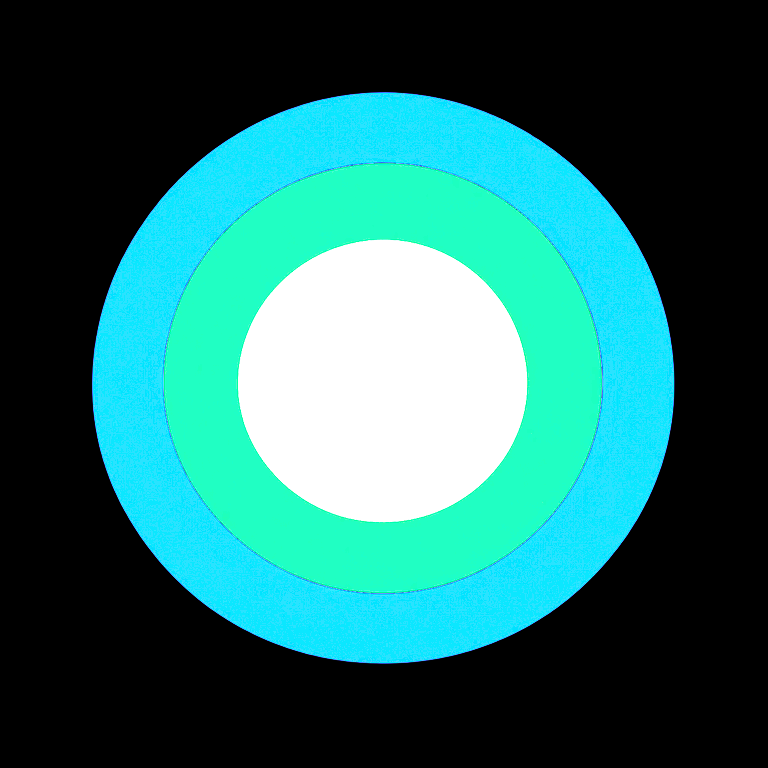

Every colour at once
Three glow layers on one mark: the white core, the green ring and the navy ring, each solved against its own color volume. They do not reach the same brightness because they cannot — that is the point.
2,074nitsEncoded peak
203nitsPage white
Nothing is painted into your image
A filter adds bright pixels around a shape. Those pixels are still ordinary white, so they can never out-shine the page they sit on.
Here the selected pixels are re-encoded as Rec.2100 PQ with real absolute luminance. The brightness comes from your display’s headroom.

Glow any colour. Or just one part.
Pick a colour from the detected palette, or sample one straight off the image with the eyedropper. Glow several at once, each at its own brightness.
Every colour has a brightness it cannot pass while staying exactly itself. Saturated blue runs out far sooner than white — it carries under 6% of the luminance. We compute that ceiling for your colour and let you choose what to trade.
One tool, endless uses
If it has a bright part, it can glow.
Brand logos
Make a wordmark read as light without touching the artwork.
LinkedIn posts
The effect you have seen shining out of the feed.
Product shots
Lift a highlight or a screen without blowing out the frame.
Event graphics
Neon-style headlines that stay sharp at any size.
App icons
A single accent colour that glows on modern phones.
Slide decks
One bright element that survives the projector test.
Social ads
Stop the scroll with luminance instead of motion.
Wallpapers
Full-frame HDR made from an ordinary image.
Anything you upload
It is free, so there is nothing to weigh up first.
The effect you have seen in the feed
Some company logos shine out of the feed while everything around them stays flat. No animation, no filter — those images are encoded as HDR.
The LinkedIn preset exports a JPEG carrying a Rec.2100 PQ ICC profile, because that survives the platform’s re-encoding where a PNG cICP chunk does not.
Make your LinkedIn image glowPlatform behaviour changes over time, so the export panel records the date each route was last verified rather than promising it will hold.
Where the glow shows
How bright a highlight becomes is decided by the viewer’s display and tone mapping, not by the file alone. No tool can promise a fixed nit value on every screen.
Built on the standards, not a lookalike
Linear-light pipeline
Every calculation on linear light in CIE XYZ, never on gamma-encoded values.
SMPTE ST 2084
Absolute luminance against PQ, where 203 nits is diffuse white.
Colour volume solver
Each colour solved against its own exact-colour limit in Rec.2020.
ΔE ITP validation
Colour error measured in ICtCp, which stays meaningful above diffuse white.
Integrity scanner
Every export read back and its signalling verified after encoding.
Gain maps
An SDR base plus a gain map keeps legacy viewers correct.
Questions
Is this free?
Yes. Every feature is free — any color, any number of selections, full resolution, and every export format. There is no account, no watermark and no export limit.
Does it only work on white logos?
No. White Auto Glow is the default preset because it needs no configuration, but you can glow any color in the image — including an exact brand color — or pick a single region with the eyedropper and glow only that part.
Will it glow on every screen?
No, and no tool can promise that. Ordinary interface white sits near 203 nits; on compatible HDR displays the encoded highlight can render above that, and how far above depends on the display and its tone mapping. On an SDR display the file still opens correctly — it simply looks like an ordinary image.
Is this a glow filter or a blur effect?
Neither. Nothing is painted into the image. The selected pixels are re-encoded as Rec.2100 PQ with real absolute luminance, so the brightness comes from the display rather than from added pixels.
Why does my screenshot of the result look flat?
Screenshots are usually captured and saved as SDR, which discards the HDR luminance. The exported file still contains it — view the file itself on an HDR display rather than a screenshot of it.
Are my images uploaded anywhere?
No. Analysis, preview and export all run in your browser. The image never leaves your device.
Which file should I use for LinkedIn?
The LinkedIn preset exports a JPEG carrying a Rec.2100 PQ ICC profile, because that survives the platform’s re-encoding where a PNG cICP chunk does not. Upload the exported file directly and avoid re-saving it through another editor.
What formats can I export?
A Rec.2100 PQ JPEG for platforms, an HDR PNG using cICP signalling for pages you host yourself, and a tone-mapped SDR PNG that opens anywhere. Ultra HDR gain map output is on the way for Android and Google Photos. Every export is verified after encoding.
Keep reading
LinkedIn HDR Glow
Export an image that can glow above normal feed white on supported displays.
make your LinkedIn image glow →
HDR Logo Maker
Turn a brand logo into a genuine HDR asset, not a painted-on halo.
create a real glowing logo →
Any-Color HDR Glow
Select any color or region and glow only that, with its hue preserved.
make any color glow in HDR →
HDR Image Generator
Produce a Rec.2100 PQ file from an ordinary image.
generate an HDR image →
How HDR Glow Works
Why an ordinary-looking file can render brighter than the interface around it.
how HDR glow works →
HDR Display Test
A live patch that tells you if your screen has luminance headroom.
check whether your display shows HDR →
Examples
Verified brands whose logos are encoded as HDR.
see companies already using HDR logos →
Superwhite Alternative
How this differs from white-only HDR tools.
compare the alternatives →